
NauticSight
Work through a sextant sight, check your compass against a celestial bearing, or plan the next leg. NauticSight brings sight reduction, a nautical almanac and route calculations together on your Android phone.
- Android 8.0+
- English and Polish
- PDF and CSV reports
- Red night theme
From observation to a saved result
Enter your own observations and keep the time, instrument settings and calculation together. Saved reports retain the values used when you calculated them.
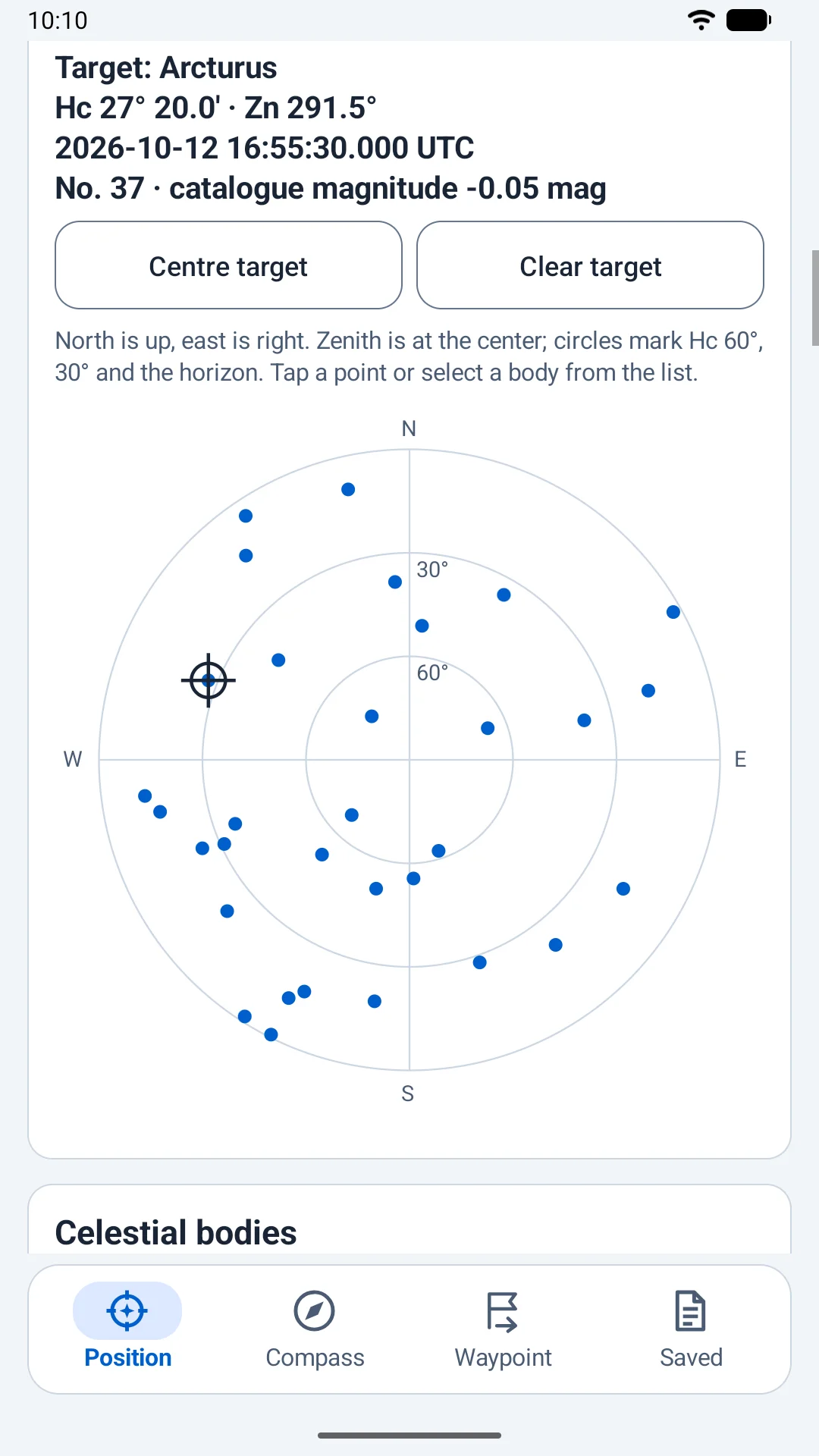
- Prepare the observation. Choose a celestial body, position and UTC. The sky chart shows calculated altitudes and azimuths; select a target to centre it in a horizon sector. You can freeze a live sky view using the phone clock and an optional GPS position.
- Enter what you measured. Record the sextant altitude and observation time, index error, height of eye and weather conditions. NauticSight applies the sight corrections and can move observations to a common time using a known course and speed.
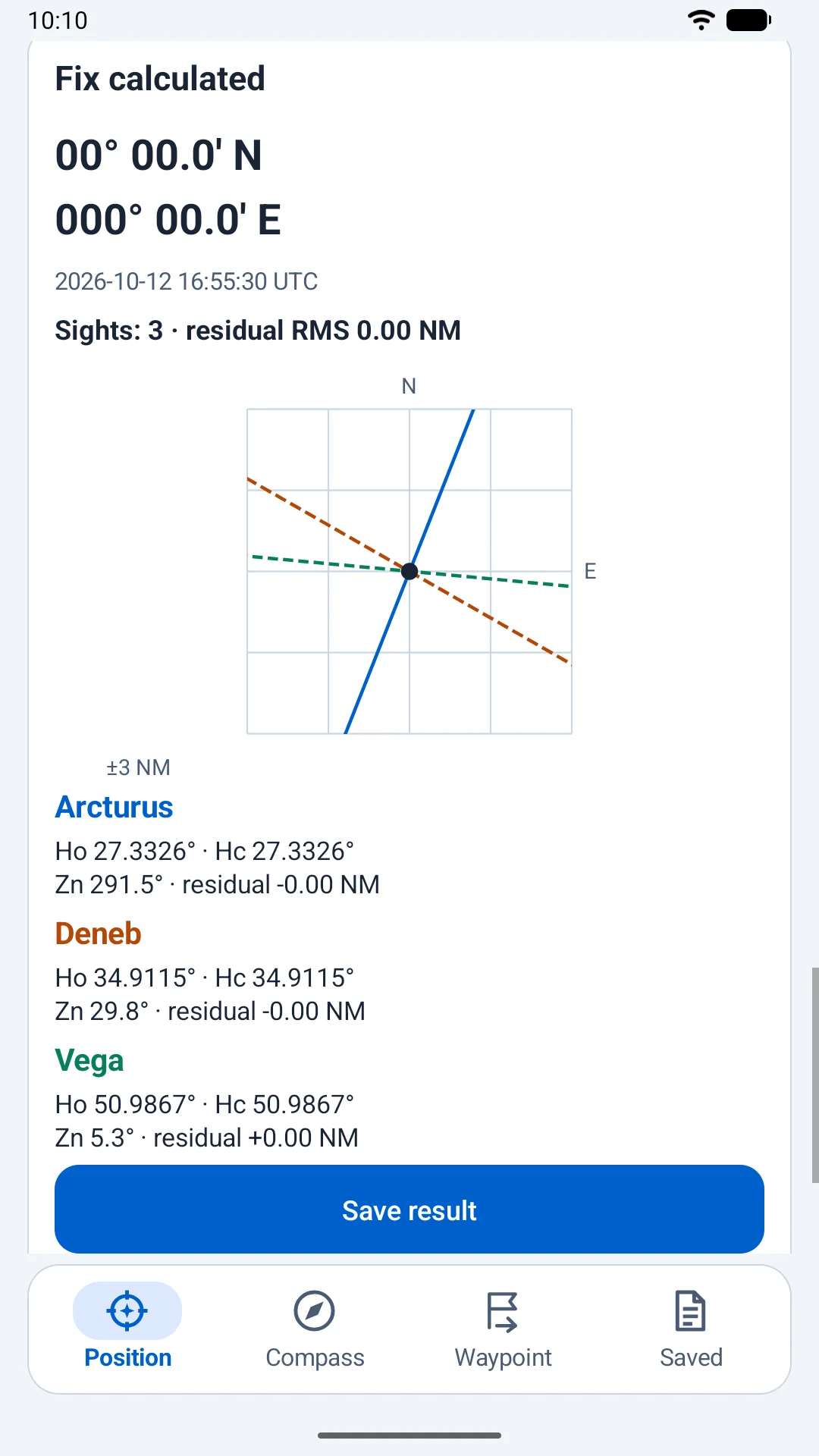
- Inspect the result. Three or more distinct stars can produce a position without an assumed position. One sight gives a line of position relative to DR. Two sights require DR and an explicit choice between two solutions. Inspect residuals and the lines-of-position plot.
- Keep the calculation. Save results in a named session, then export a report or the whole session as PDF or CSV. Reports preserve their original observations, corrections and model information rather than recalculating on export.
Compass checks and the next leg
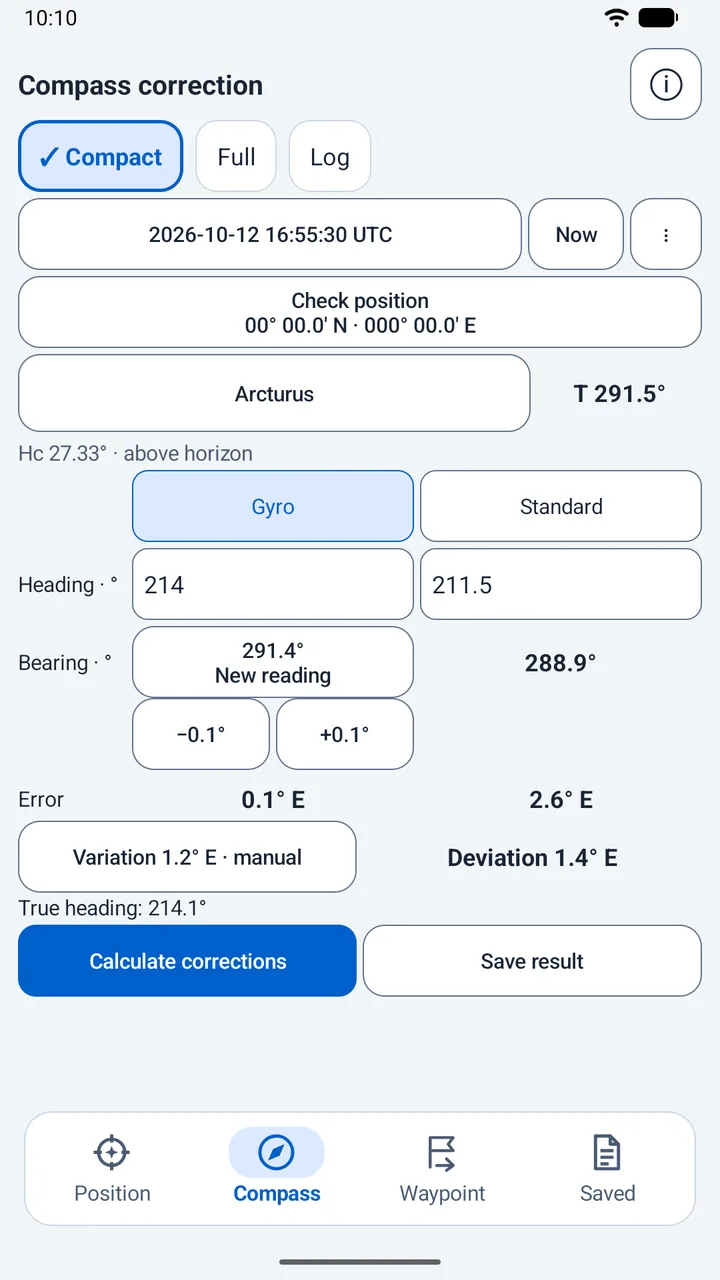
Compass correction
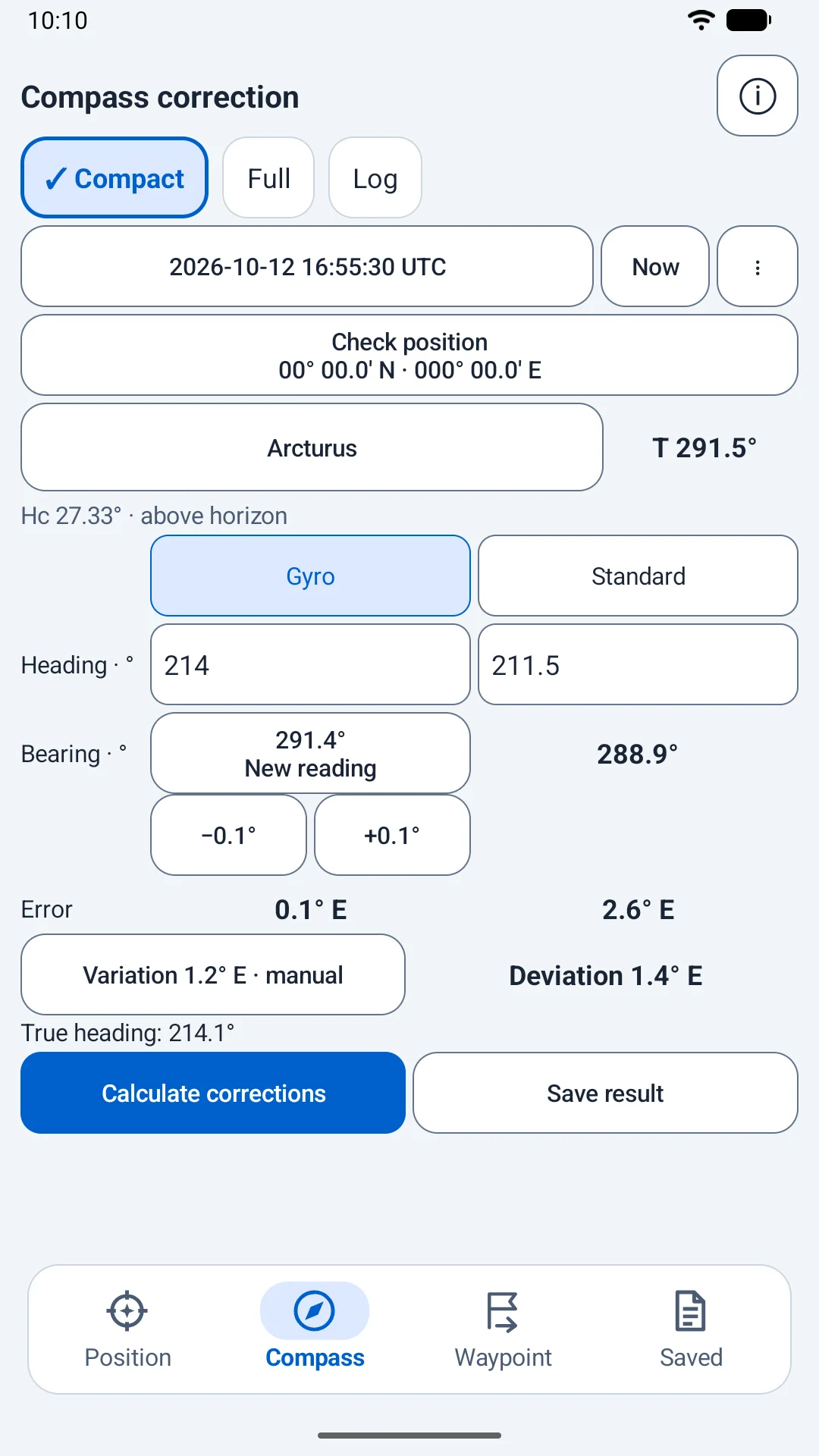
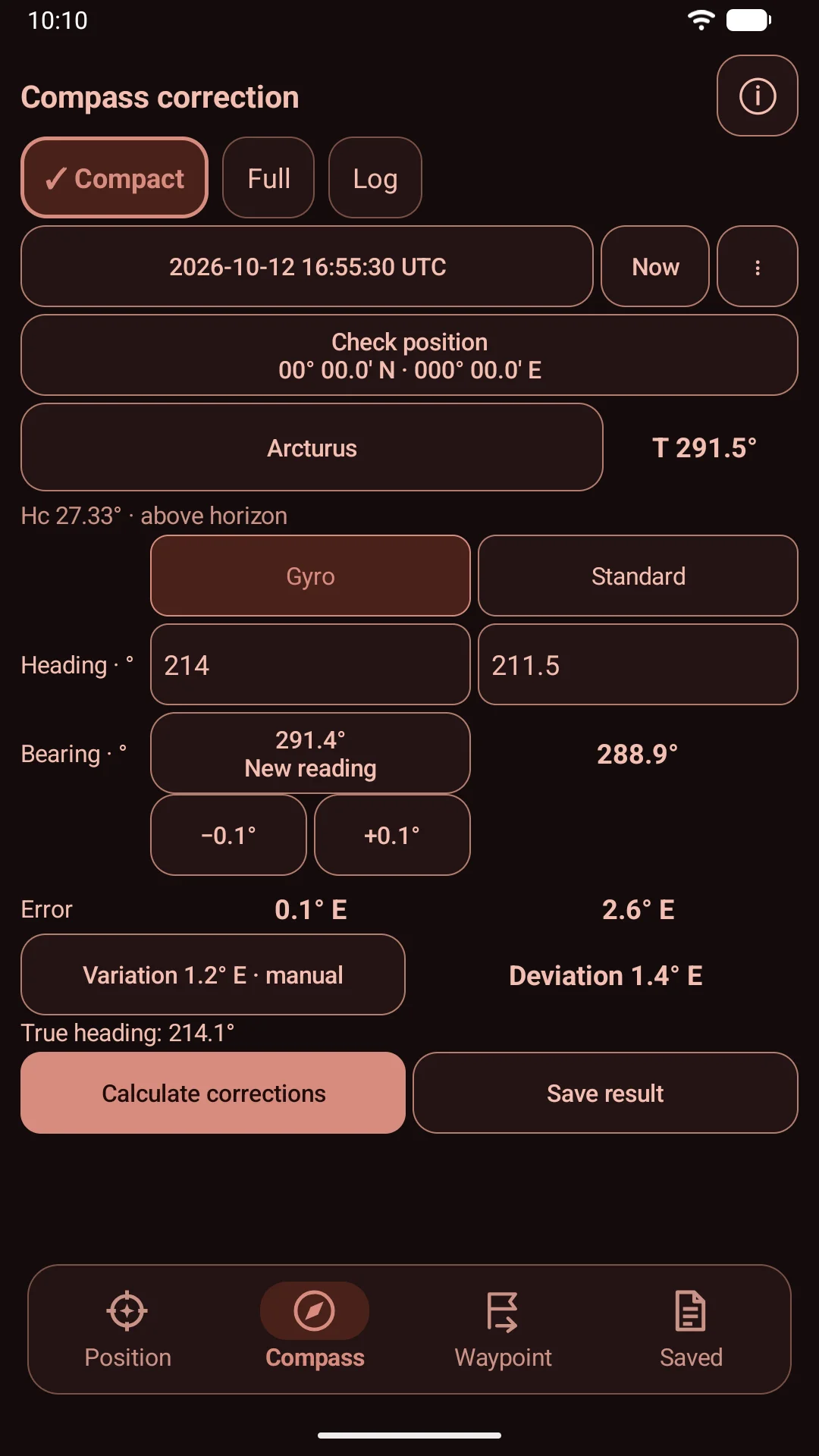
Compare an observed bearing with a calculated celestial azimuth or amplitude. Use gyro or standard-compass readings, inspect instrument errors and deviation, and choose manual variation or WMM2025. Compact and Full layouts share the same calculation.
Deviation cards
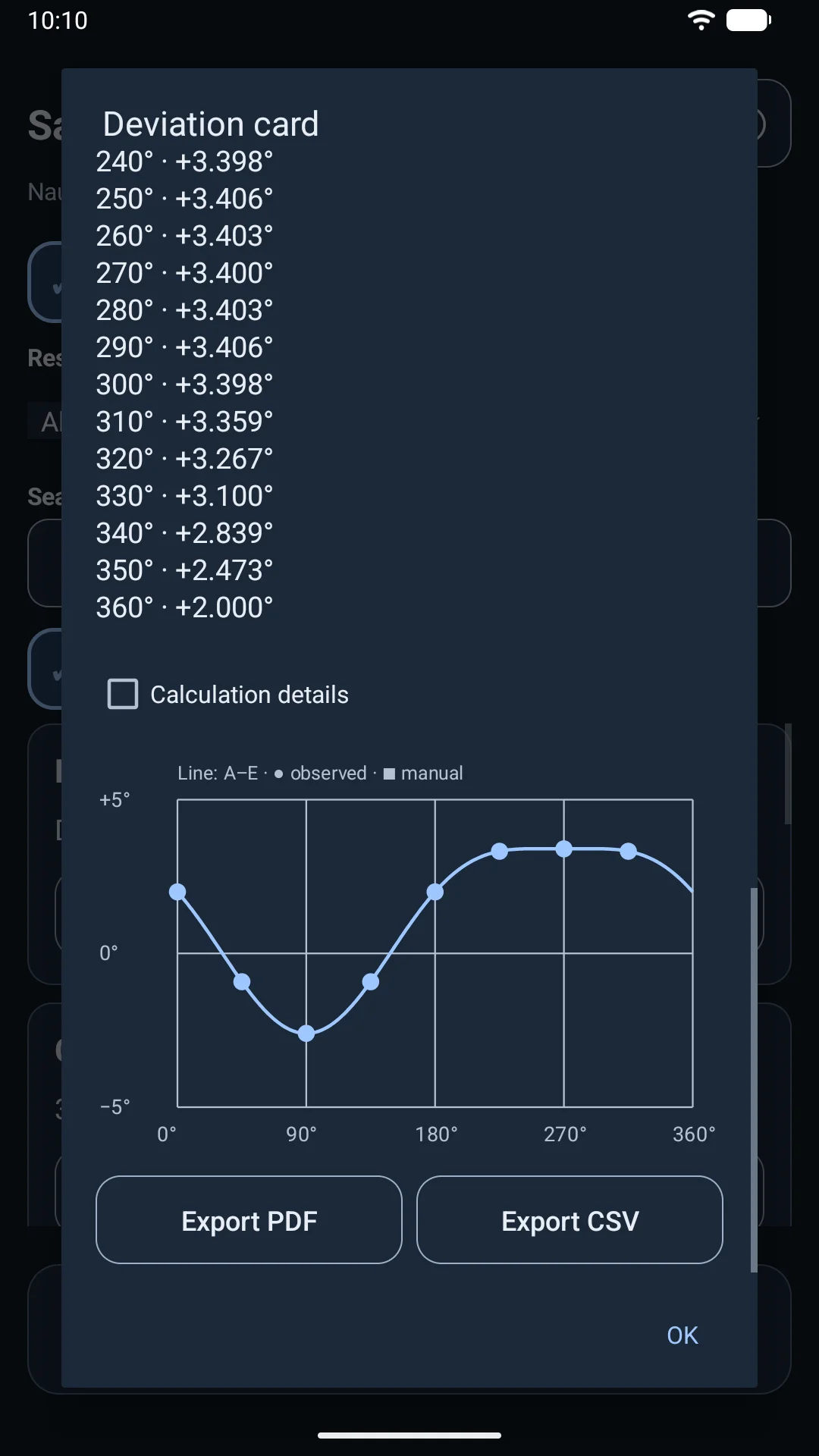
Build a named card from selected compass checks and explicit manual points. Inspect the fitted curve, residuals, RMS, gaps between headings and a table at 10° intervals. Export PDF or CSV; a fitted curve is not automatically applied to later checks.
Almanac and sky
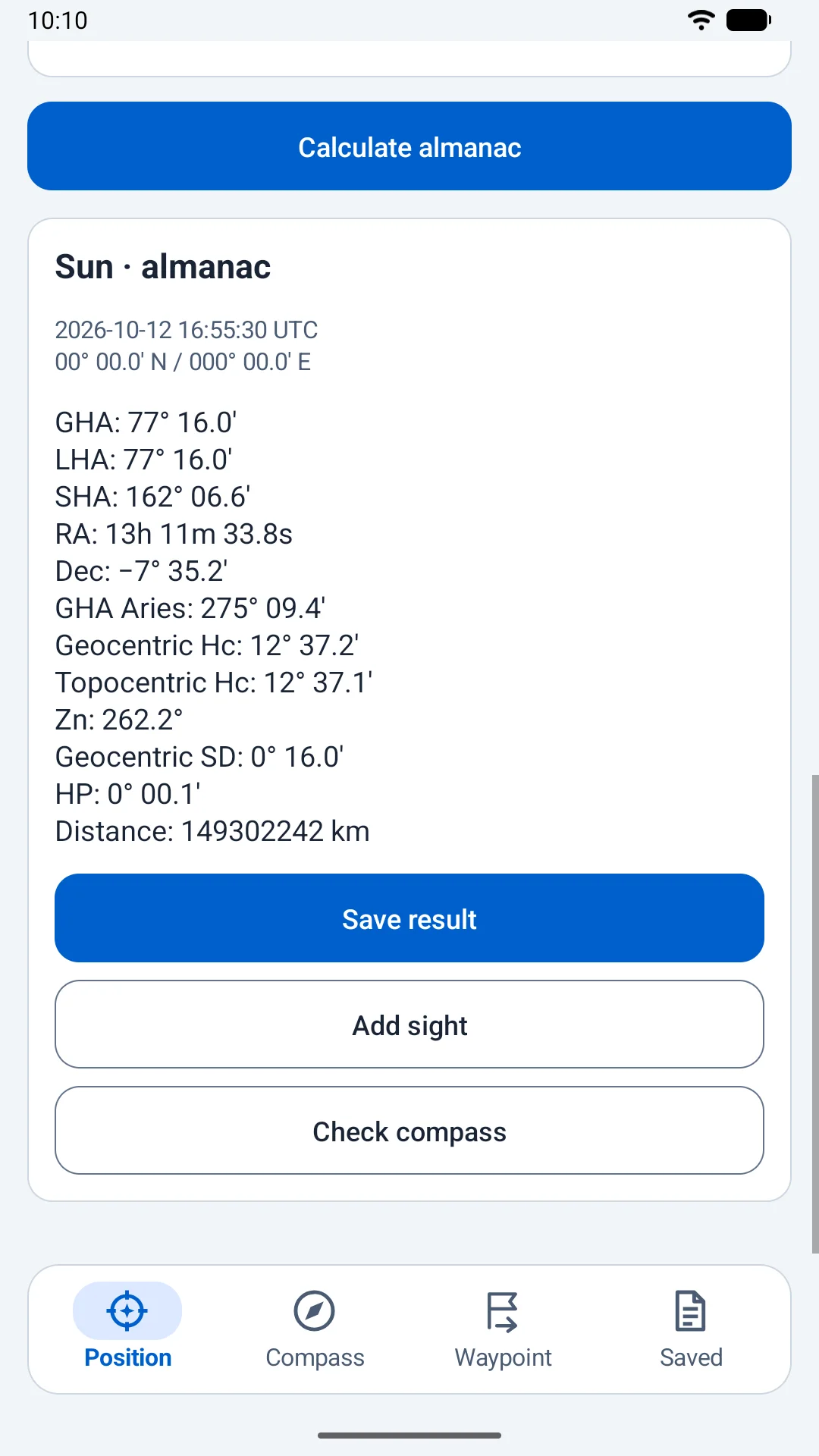
Look up the Sun, Moon, Venus, Mars, Jupiter, Saturn, 57 navigational stars and Polaris. View GHA, declination, calculated altitude and azimuth, or use a 360° sky chart and an adjustable horizon sector.
Daily events
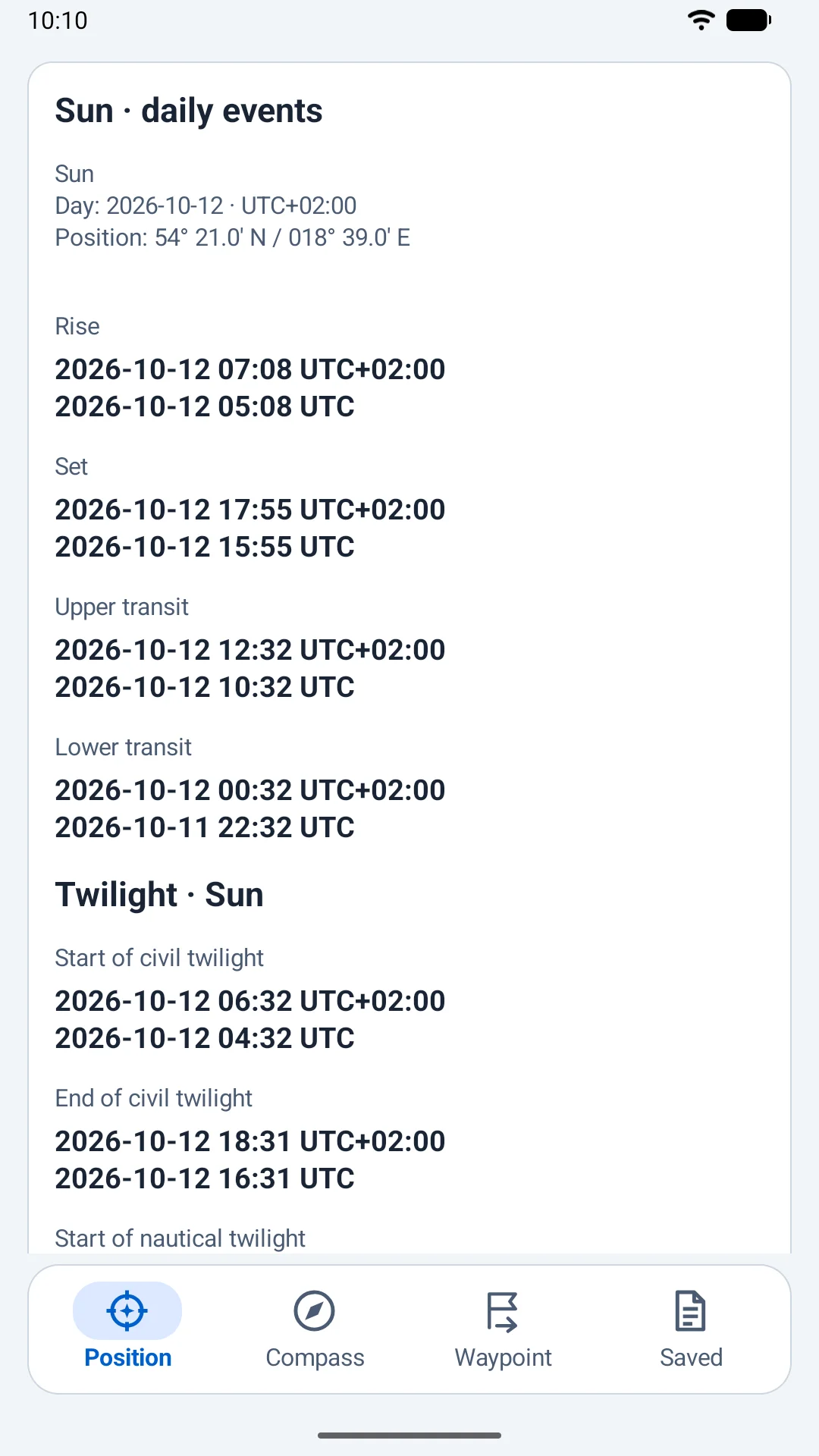
Calculate rise, set, upper and lower transit, and civil and nautical twilight for the Sun. Local times use the UTC offset you specify. The app identifies days without a crossing and shows the event conventions.
Waypoint, course and distance
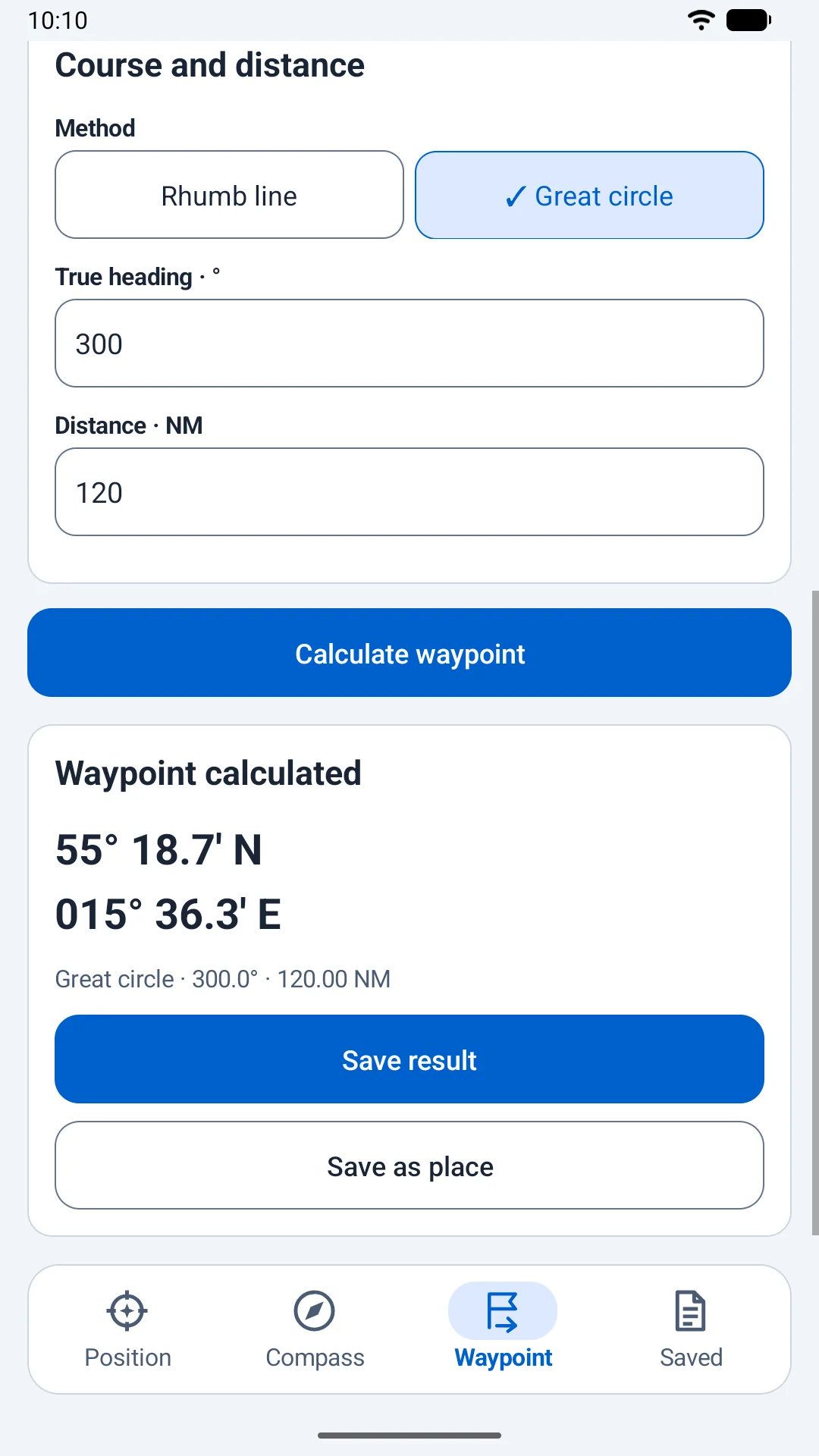
Project a position from a true bearing and distance, or calculate the course and distance between two positions. Choose a rhumb line or a great circle; great-circle results distinguish the initial and final course.
Dead reckoning
Advance a base position to a chosen UTC using a known course and speed over ground. Inspect time, distance and position, then explicitly use the result as a new DR. Compare two timed positions with course and speed made good.
Inside NauticSight
Actual app screens with synthetic demonstration data. Select an image to enlarge it.
Celestial compass correction with gyro and standard-compass errors and deviation. 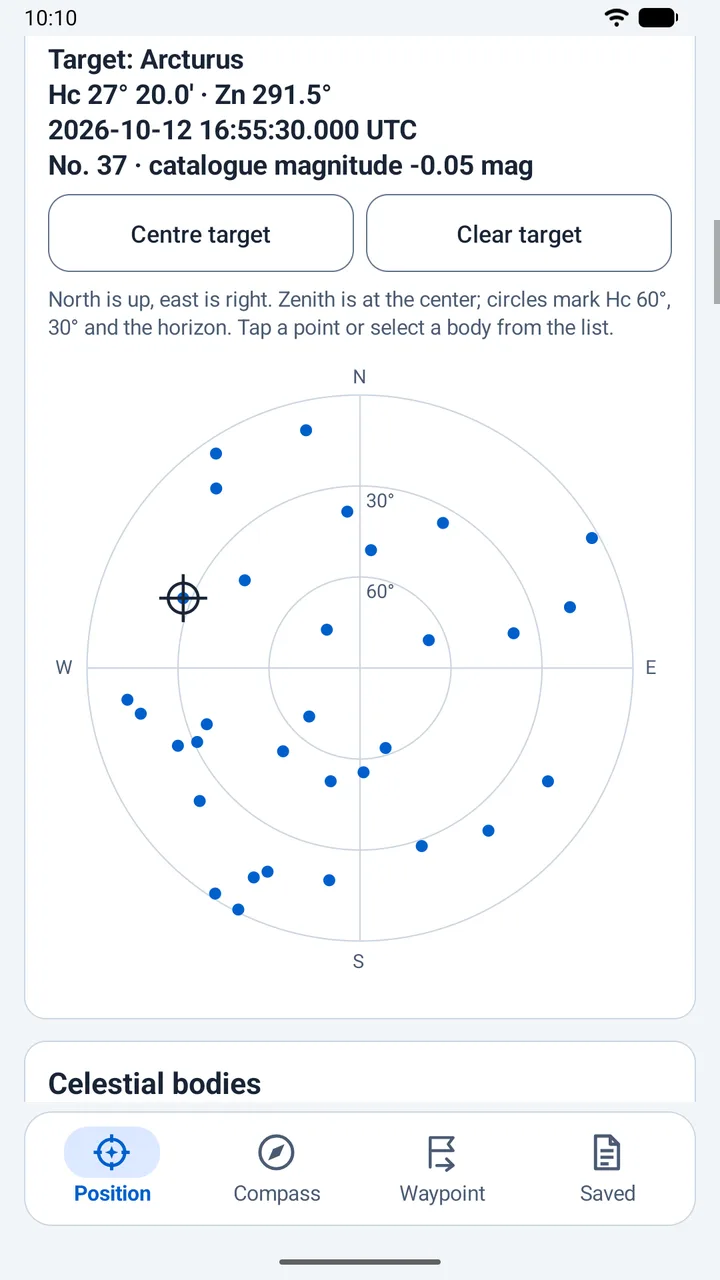
Arcturus selected on the sky chart, with its calculated altitude, azimuth and UTC. 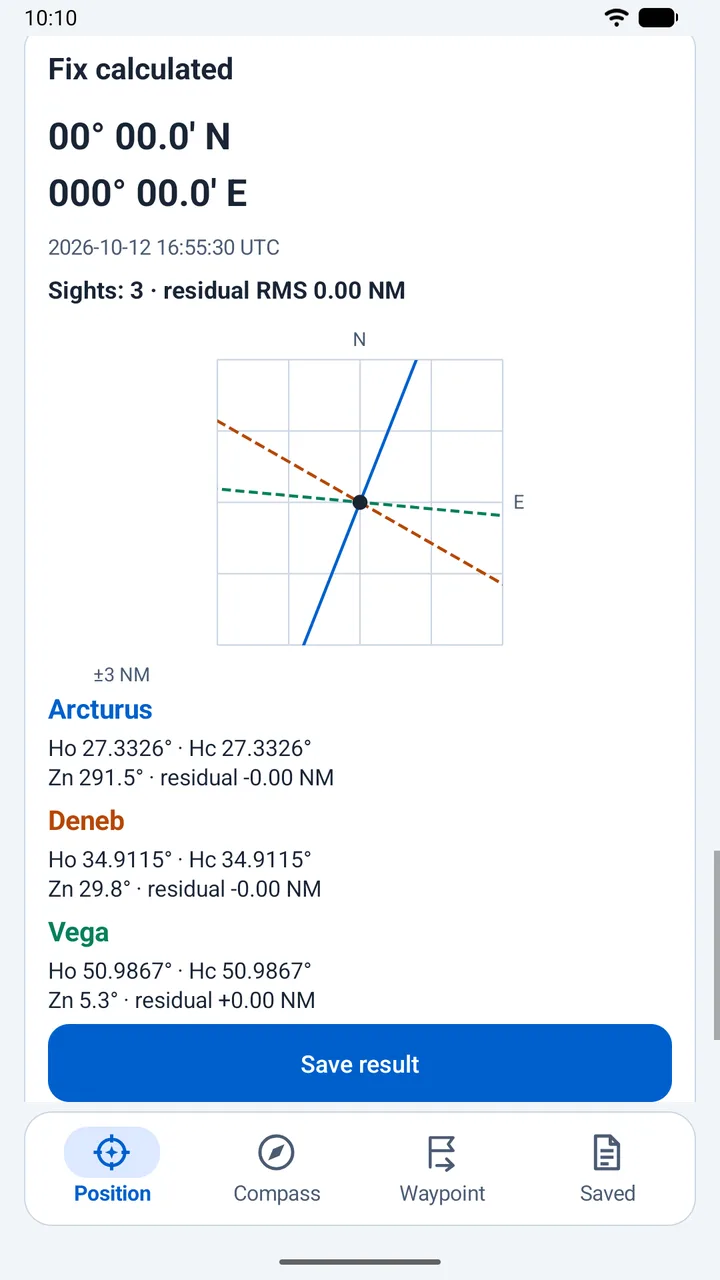
A three-sight fix and lines of position. This exact synthetic example is not an accuracy claim. 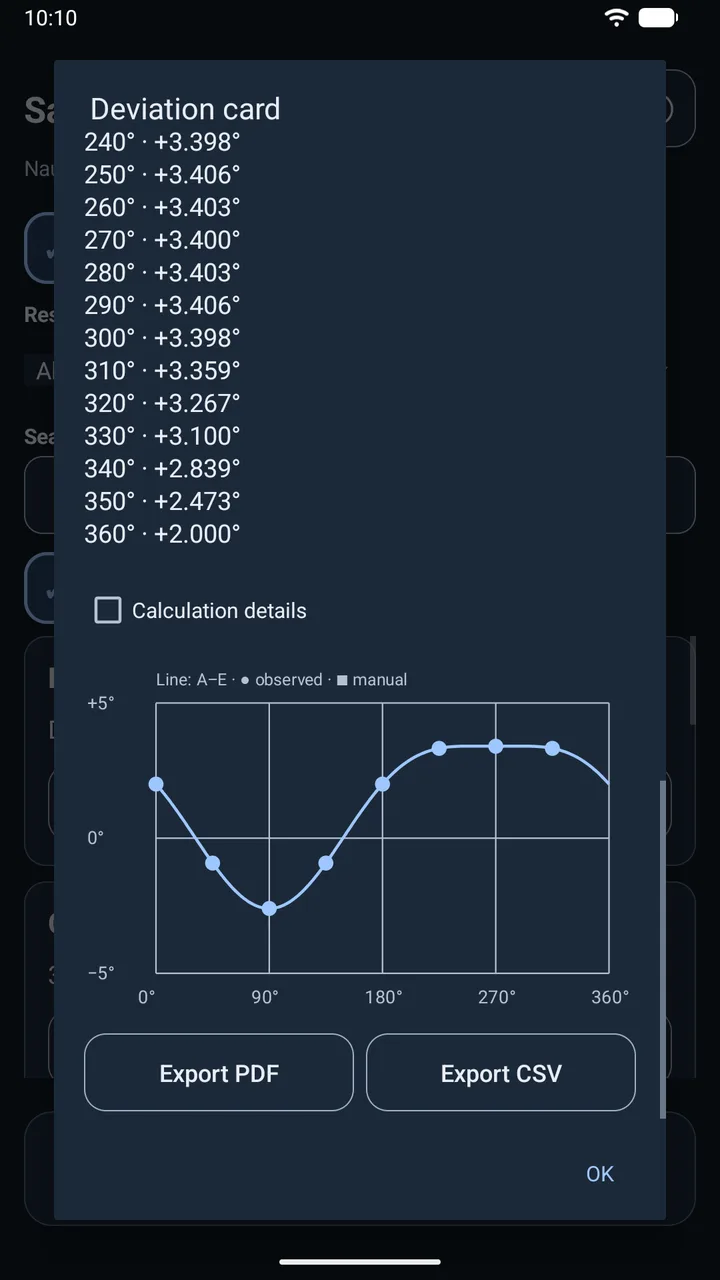
A deviation curve fitted to demonstration points, with PDF and CSV export. 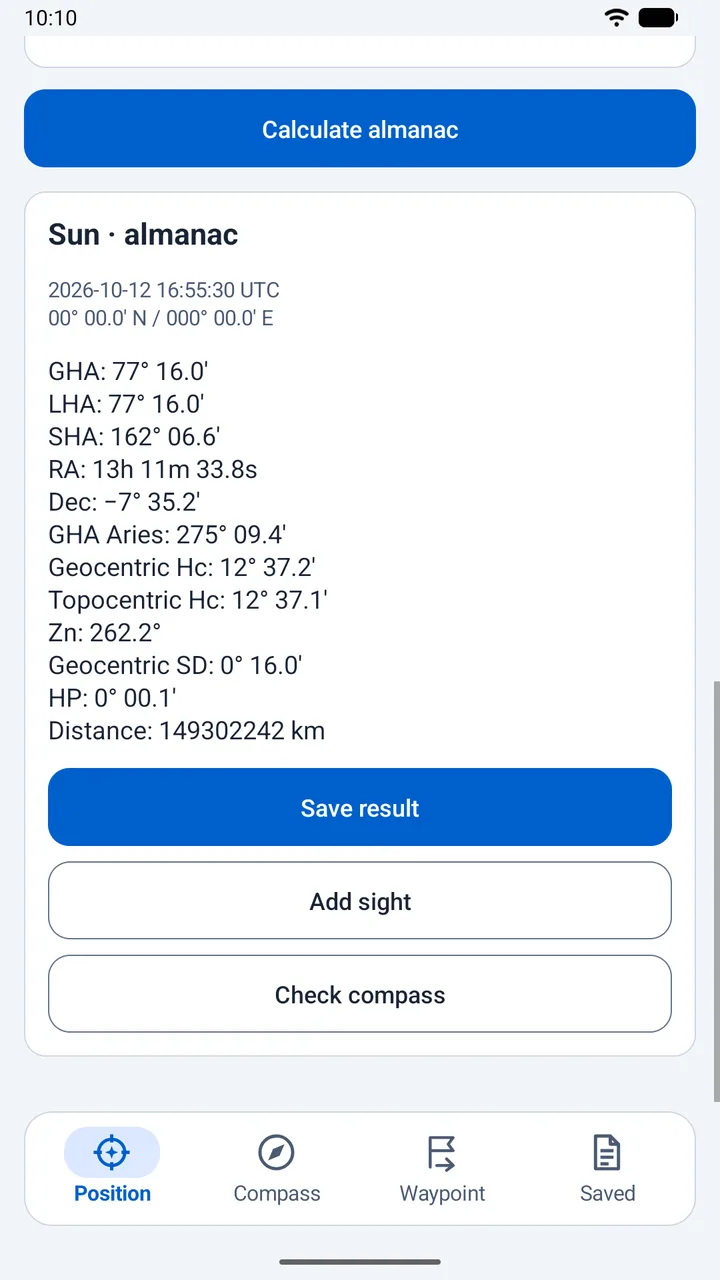
The Sun in the offline almanac, with transfer to a sight or compass check. 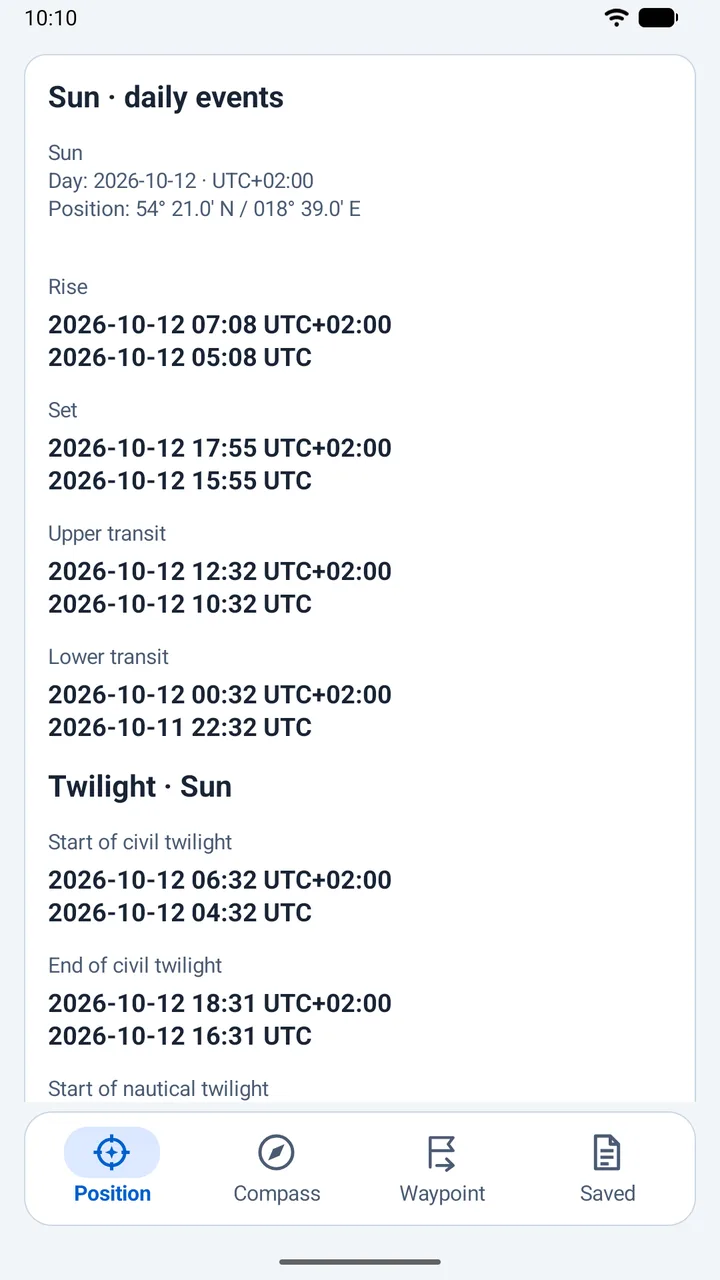
Rise, set, transit and twilight, with both local time and UTC. 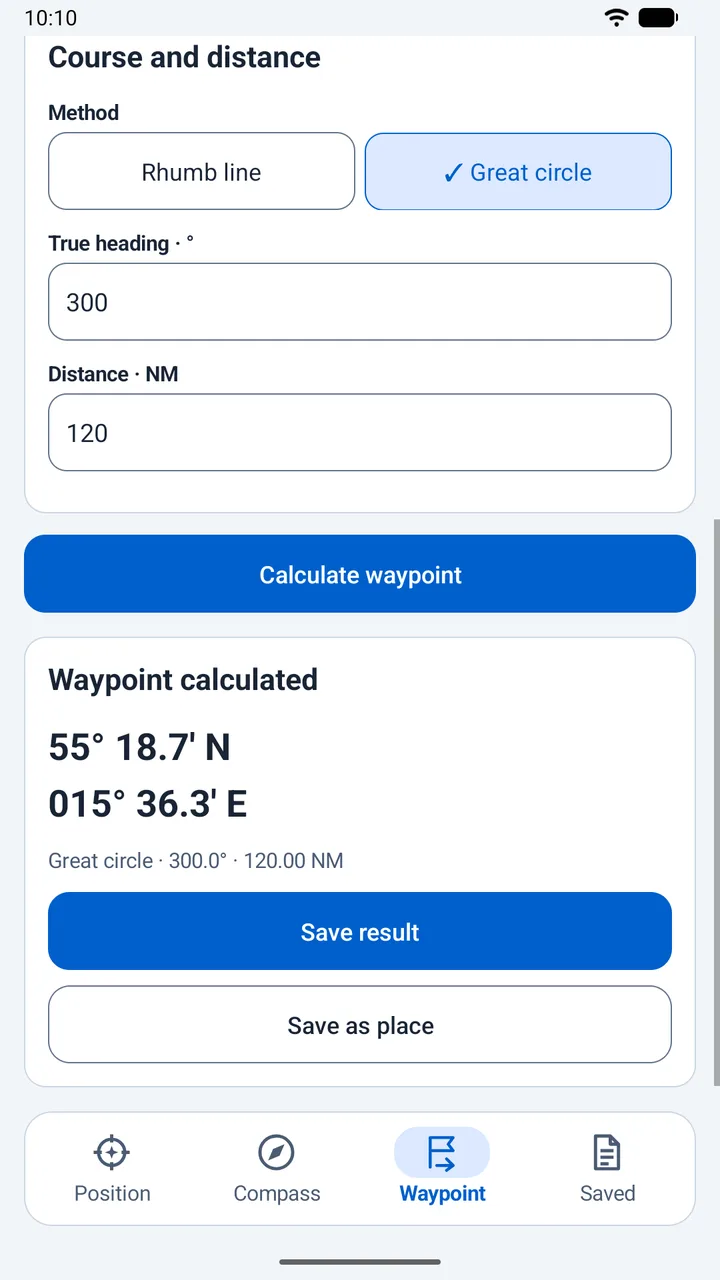
A calculated great-circle waypoint from a course and distance. 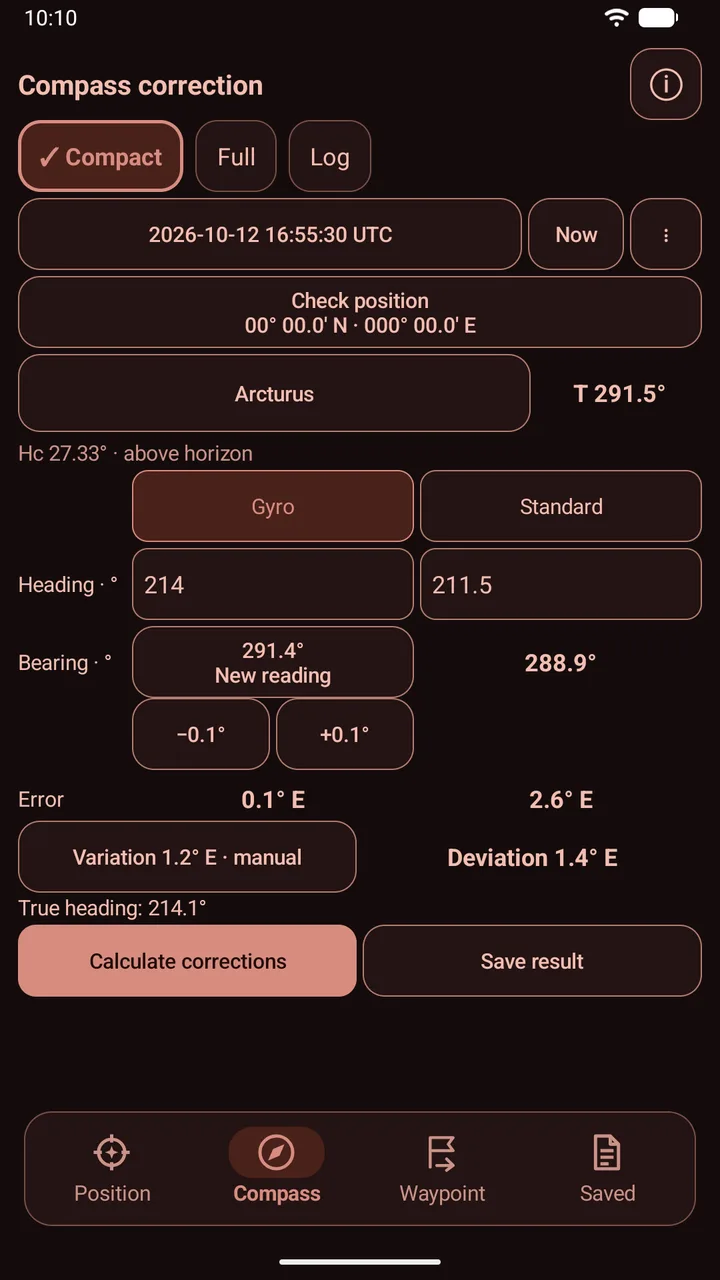
The compact compass layout in the red night theme.
Ready for the next session
Keep separate drafts and results for each session. Save places and instrument profiles, search earlier results and archive finished work. A JSON backup carries sessions, reports, places and profiles between installations; restore it through the Android file picker.
Details
- Devices
- Android 8.0 or newer, on phones and tablets. Current version: 0.5.3.
- Appearance
- Automatic follows the Android light or dark theme. You can also choose Light, Dark or Red night. System text scaling and TalkBack labels are supported.
- Language
- English and Polish. The first launch follows the system language, with English for other languages. Change it in Settings.
- Data for calculations
- The almanac and calculation models are included in the app. Optional data updates retrieve time data from IERS and WMM coefficients from NOAA; an invalid update leaves the previous valid set in place.
- GPS
- Optional position capture in the foreground. You can enter a position manually. A frozen reading shows its time, age and estimated accuracy.
- Privacy
- Read the privacy policy.
Before using a result
NauticSight 0.5.3 is a development release. Review with real observations and a navigator is still pending. Independently check results before using them for navigation. The RMS of a fix describes agreement between observations, not a confidence radius.
The app shows data validity and calculation warnings. WMM2025 is valid for 2025 to 2029 and does not model a vessel’s own magnetic field. Event times do not model local terrain or weather. Route calculations use a spherical Earth model.
Availability
NauticSight is being prepared for Google Play. A store link will be added here when it is available.
Questions and feedback: google@tomaszd.eu.